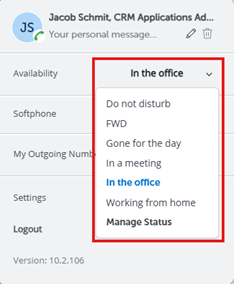
1. In the MiCollab application, click on the user icon in the top right corner and select Settings
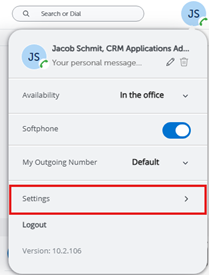
2. Select Manage Status
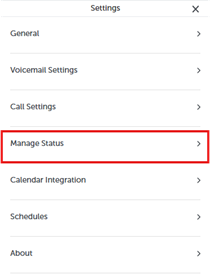
3. Select a status to edit or click the icon with 3 dots in the top right corner and select New
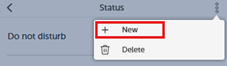
4. Enter a name for the status and then find the setting labeled Send my calls to
5. Select the desired forwarding option from the list (if the desired option isn’t there, you’ll need to select Add New Number)
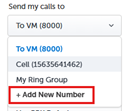
6. When adding a number, be sure to preface it with a 1 (Ex: 15635551234)
7. When you would like to have calls forwarded, you’ll need to set the status under Availability in the MiCollab application. This can be found by clicking the user icon in the top right corner and then clicking the drop down for Availability.